Last updated on 19 March 2026
Choosing the right gaming mouse can make a surprisingly big difference to your experience: whether you’re deep into a competitive FPS, grinding through an MMO, or just looking for something comfortable for everyday use. With so many options on the market, it’s easy to get lost in specs and marketing. We’ve tested and reviewed the top gaming mice available in 2026 to help you find the right one, whatever your budget or play style.
Best Overall
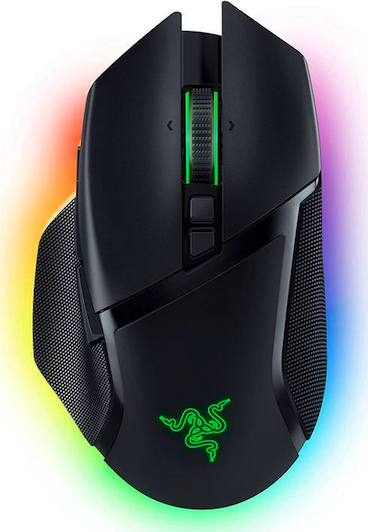
Razer Basilisk V3
Packed with features at a mid-range price. Great sensor, a satisfying scroll wheel, and 11 programmable buttons. At 104g it’s not ideal for hardcore FPS, but for most gamers it’s a great all-rounder.
Premium Pick
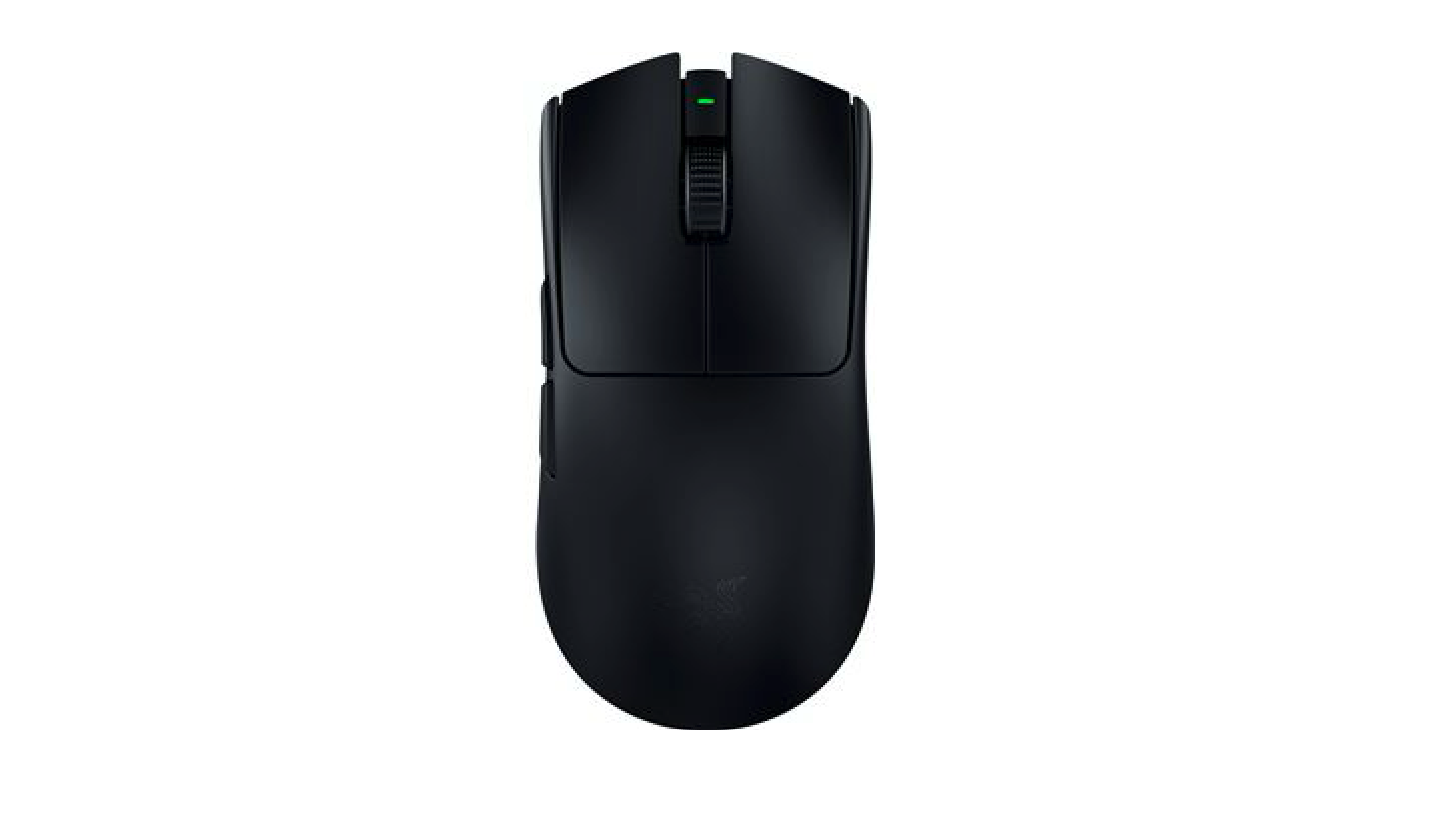
Razer Viper V3 Pro
The current top-of-the-line competitive wireless mouse. Incredibly light at 54g, near-zero latency and 95-hour battery life, it’s spec-for-spec one of the most capable mice ever made.
Best Budget
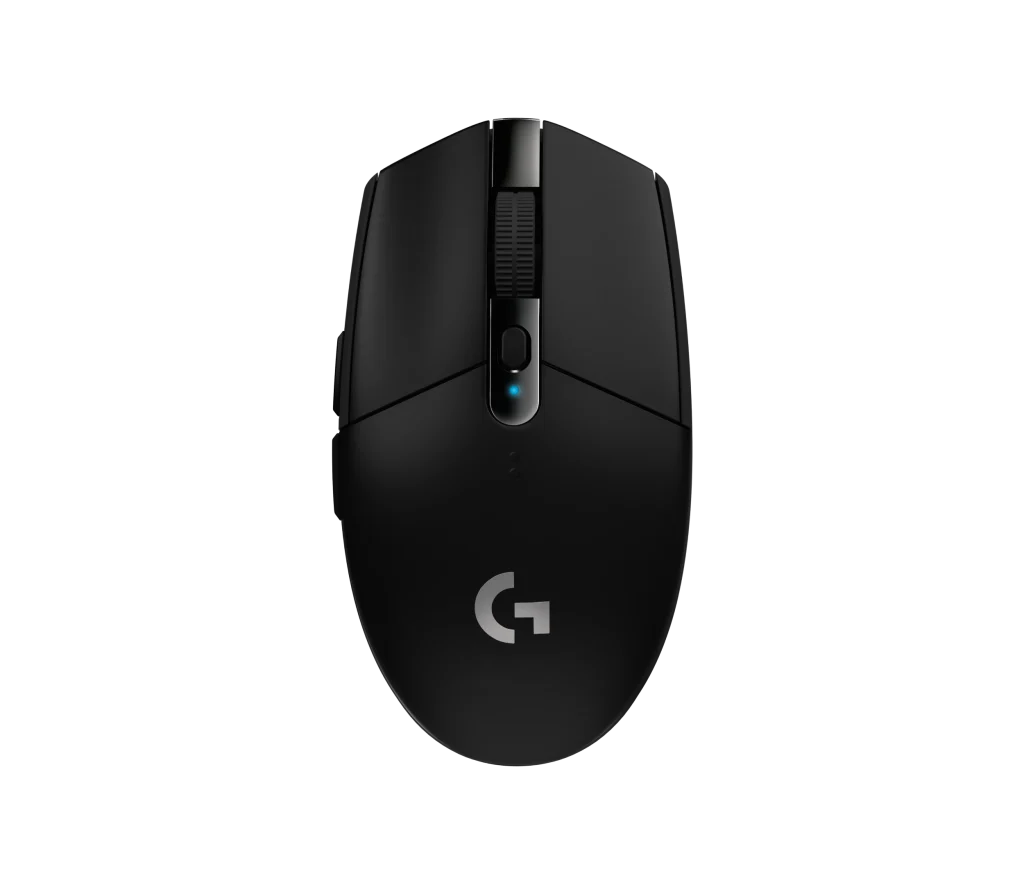
Logitech G305 Lightspeed
Punches way above its price. Wireless, uses Logitech’s HERO sensor (the same tech as much pricier mice), and runs on a single AA battery for months. It’s hard to find a better wireless gaming mouse anywhere near this price.
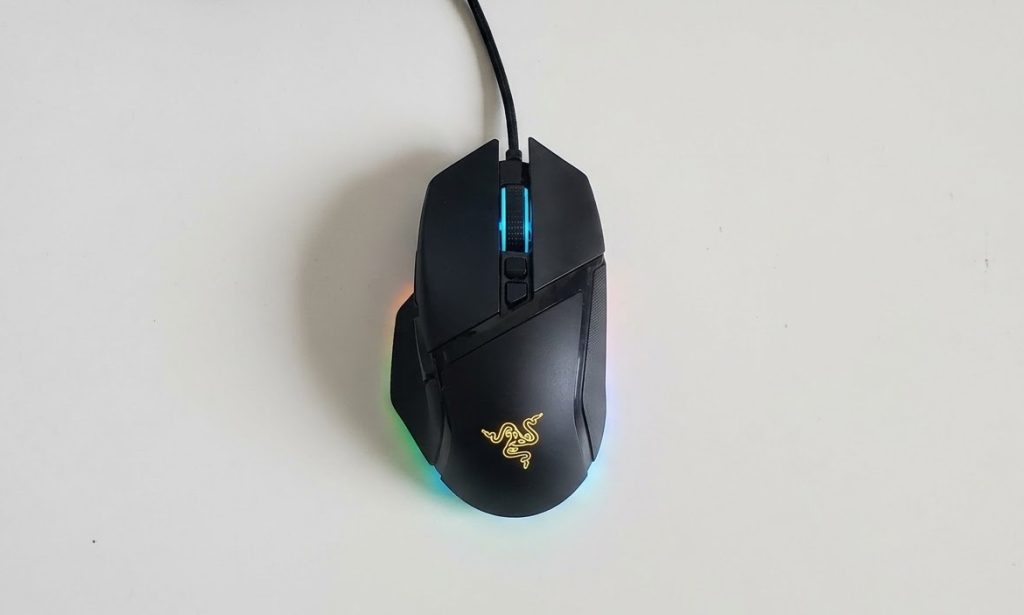
1. Razer Basilisk V3
Best Overall
Specifications:
Sensor: Razer Focus+ Optical DPI: 26,000 IPS: 650
Acceleration: 50g Interface: Wired USB-A
Programmable Buttons: 11 Weight: 3.56 oz/ 101g
Dimensions: 5.11 x 2.95 x 1.65 inches Form Factor: Right-handed
Pros:
+ Excellent Sensor
+ Feature-packed for the price
+ Very comfortable
Cons:
– Wired only
– Heavy
– Right-handed only
The Basilisk V3 is a wired, right-handed ergonomic gaming mouse priced at around $70. It’s designed for comfort and versatility across a wide range of gaming genres, and it delivers on both fronts.
The Focus+ optical sensor is excellent: accurate, fast, and consistent across different surfaces. Clicks feel snappy and immediate thanks to Razer’s optical switches, which have virtually no input delay. For everyday gaming this is more than enough. The one caveat is that it maxes out at a 1,000Hz polling rate, which is perfectly fine for most players but falls short of the cutting-edge 8,000Hz found in top-tier competitive mice.
The standout feature is the HyperScroll wheel, which automatically switches between a satisfying click-by-click scroll and a smooth, frictionless free-spin mode. It sounds gimmicky but it’s genuinely useful, especially in games where you’re rapidly switching weapons or zooming in and out. Beyond that, you get 11 programmable buttons, a dedicated sniper button on the side, and a braided Speedflex cable that’s flexible enough that you’ll barely notice it’s there.
At 101g it’s on the heavier side compared to modern gaming mice. If you’re coming from an ultra-light mouse this will feel noticeably different at first. However, after a few hours of adjustment most people stop noticing it. That said, if you’re playing intense, fast-paced FPS games for hours at a time, the weight can contribute to more fatigue more than a lighter mouse would.
The textured rubber grips and ergonomic shape hold up well over extended use. Multiple reviewers reported 8-12 hour sessions with no discomfort. The weight distribution is well-balanced so your hand wont feel strained in any one spot.
Note: This mouse is right-handed only. There is no left-handed version.
2. Razer Viper V3 Pro
Premium Pick
Specifications:
Sensor: Razer Focus Pro Optical Gen 2 DPI: 35,000 IPS: 750
Acceleration: 70g Interface: Wired/Wireless USB-A
Battery Life: 95 hours Programmable Buttons: 8
Weight: 1.90 oz/ 54g Dimensions: 5.00 x 2.51 x 1.57 inches
Form Factor: Right/Left-handed
Pros:
+ Best in-class sensor
+ Ultra-light
+ Long battery life
Cons:
– Expensive
– Only 8 programmable buttons
– No bluetooth connection
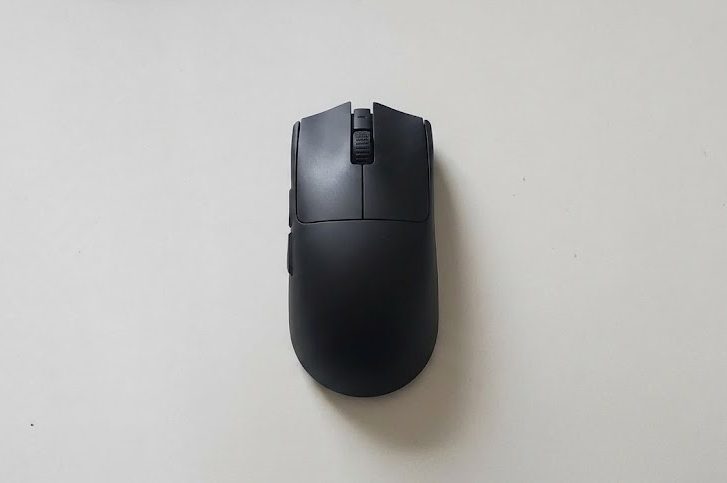
The Viper V3 Pro is Razer’s flagship wireless gaming mouse. It’s built for competitive gaming first and foremost: ultralight, wireless, and packed with the best sensor Razer makes. If the Basilisk V3 is for the everyday gamer, this is for the player who wants every possible edge.
The Focus Pro Gen 2 sensor is as good as it gets right now, it’s fast, accurate, and consistent on virtually every surface including glass. Clicks are near-instant thanks to third-generation optical switches, and the wireless connection is so responsive you genuinely can’t tell you’re not using a wired mouse. It’s the kind of performance difference that’s hard to appreciate until you’ve used it.
The design is deliberately minimal: no RGB, no extra buttons, no gimmicks. Just a clean ambidextrous shape focused entirely on performance. The scroll wheel is tight and satisfying, and the side buttons are large and well-placed. Grip tape is included in the box if the smooth coating feels too slippery for you. One trade-off for keeping things lean: only 8 programmable buttons, so if you need lots of bindings (MMOs, for example) this isn’t the mouse for you.
At 54g this mouse is remarkably light, hand fatigue is noticeably reduced compared to heavier mice. The smooth coating holds up well over extended use, and the optional grip tape helps if your hands tend to sweat. Multiple reviewers report using it all day for both work and gaming without discomfort.
It’s also fully ambidextrous, so it works equally well for both hands, which is rare at this performance level.
3. Logitech G305 Lightspeed
Best Budget
Specifications:
Sensor: Logitech HERO Optical DPI: 12,000 IPS: 400
Acceleration: 40g Interface: Wireless USB-A
Battery Life: 250 hours Programmable Buttons: 6
Weight: 3.49 oz/ 99g Dimensions: 4.59 x 2.45 x 1.50 inches
Form Factor: Right/Left-handed
Pros:
+ Exceptional sensor for the price
+ Compact
+ Very long battery life
Cons:
– Heavy
– No rechargeable battery
– Side buttons only accessible for right-handed users
For a budget mouse, the Logitech G305 Lightspeed punches well above its weight class. It doesn’t try to compete on features or design but it does deliver solid wireless performance at an affordable price.
The HERO sensor is the real story here. It’s the same sensor technology found in Logitech mice that cost three or four times more, and the performance shows: accurate, consistent, and virtually zero input lag.
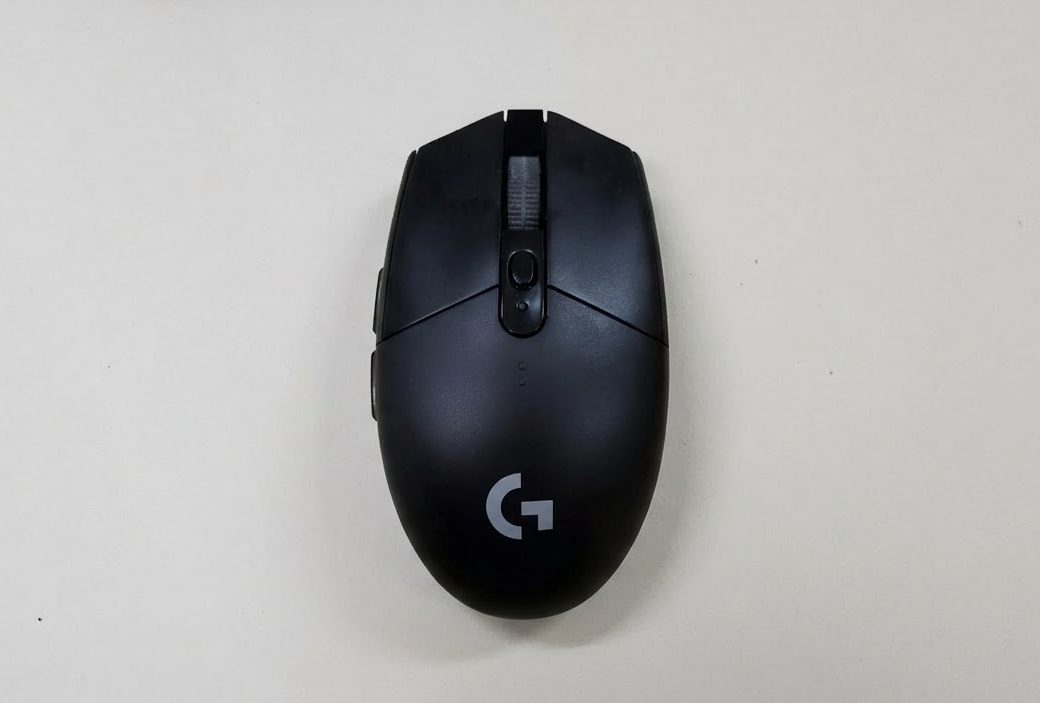
The design is simple and no-frills: symmetrical, compact, and matte plastic all around. No RGB, no extra side buttons, no fancy scroll wheel. You get 6 programmable buttons and that’s about it. The top cover pops off to reveal the battery compartment and the USB dongle, which tucks away neatly inside the mouse itself. The matte coating resists fingerprints and sweat reasonably well.
At 99g it’s on the heavier side for its size, which catches some people off guard given how compact it is. That said, many users report that the wireless freedom compensates for the weight, it feels lighter in practice than the number suggests. If weight is a concern, a popular mod is swapping the AA battery for a lighter AAA battery with a converter, which can bring it down to around 80g.
The flat, low-profile design doesn’t offer much hand support compared to more ergonomic mice. During shorter gaming sessions it’s perfectly comfortable, but for extended play (2+ hours) some users may start to notice some fatigue. A wrist rest can help.
The G305 is ambidextrous in shape, so it fits either hand comfortably. However, the side buttons are only on the left side of the mouse which is fine for right-handed users, but means left-handed users won’t be able to reach them naturally.
Buyer’s Guide
Wired or Wireless mouse: which should you choose?
In the early days of wireless mice, the connection was noticeably laggy and unreliable, which gave wireless a bad reputation in gaming circles. Modern wireless technology has largely closed that gap, top wireless mice today operate at 1ms latency, which is effectively identical to wired in real-world use. For the vast majority of players, you will not feel a difference.
The main practical advantage of wireless is freedom of movement and a cleaner desk setup with no cable drag, while wired keeps things simpler, cheaper and you don’t have to worry about charging it.
Does a mouse’s weight make a difference?
Lighter mice (under 70g) are generally preferred for fast-paced competitive gaming, less weight means you can move and flick the mouse faster with less effort, which reduces hand fatigue over long sessions. Heavier mice (90g+) feel more controlled and deliberate, which some players actually prefer, particularly for slower-paced games where precision matters more than speed.
In practice it comes down to personal preference and play style. FPS players who make a lot of fast, sweeping movements tend to gravitate towards lighter mice. Players who prefer slower, more methodical movement or who play a variety of genres, often find heavier mice perfectly comfortable. The best way to find out which you prefer is to try both, as it’s one of those things that’s hard to judge until you’ve experienced the difference firsthand.
As a rule of thumb, if you’re unsure where to start, a medium-weight mouse (70–90g) is the safest choice.
FPS vs MMO mouse: which is right for you?
FPS mice are built around speed and precision. They’re typically lightweight, minimal in design, and have few extra buttons. The focus is entirely on accurate tracking and fast movement. You don’t need many buttons in FPS games, so there’s no point in adding weight or complexity.
MMO mice are almost the opposite, they prioritize having as many programmable buttons as possible, often featuring a grid of 12 buttons on the side of the mouse alone. This lets you bind spells, abilities, and actions directly to the mouse rather than reaching across the keyboard. Weight and size matter less here since MMO gameplay is slower and more strategic.
Leave a Reply